

8.4.8
Release details
Superpower ChatGPT v8.4.8
New: Conversation Minimap
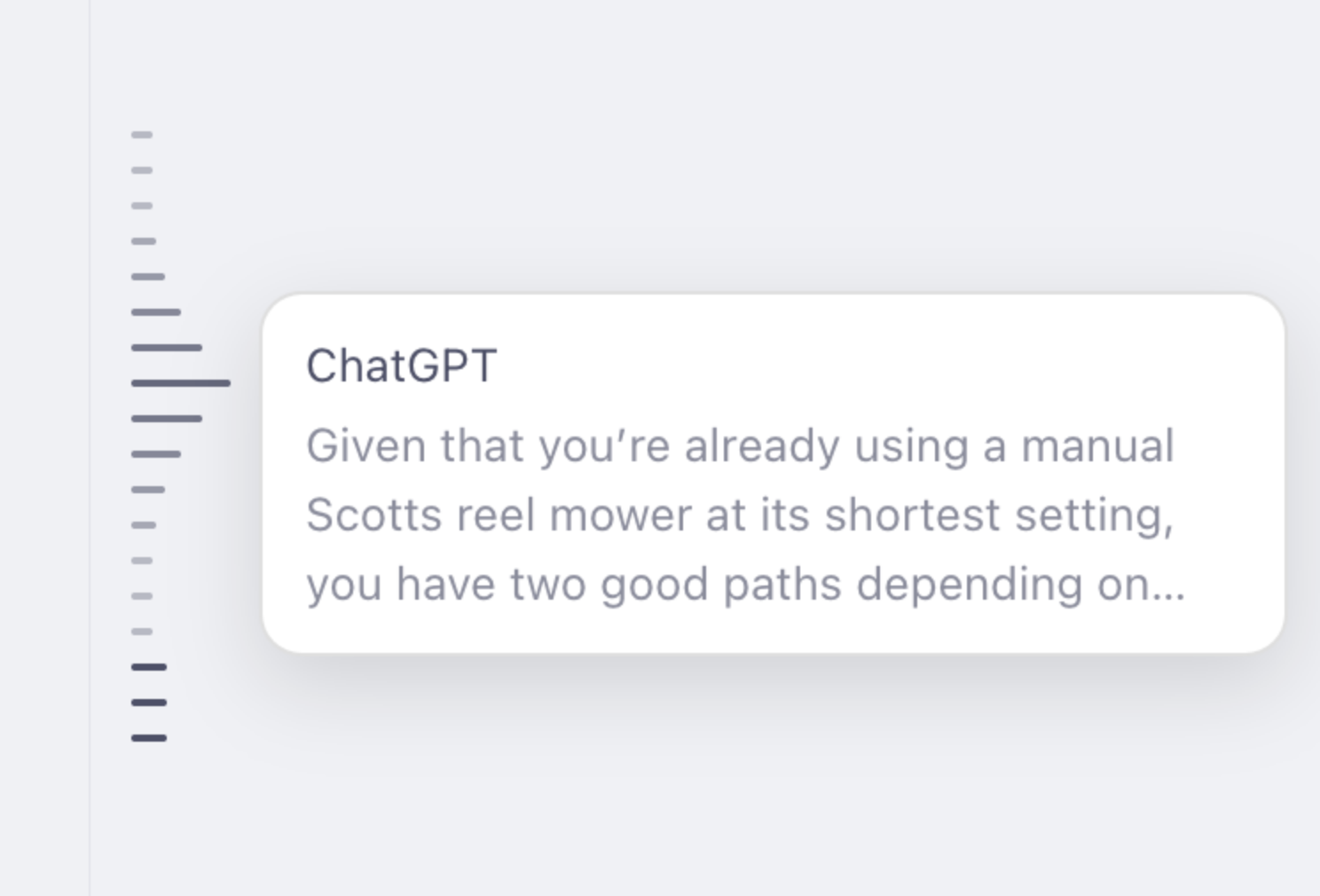
Find your place and jump between messages with a compact minimap beside your conversation.
- One line for each user message and ChatGPT response, including image-only replies.
- Highlights all messages currently visible on your screen.
- Hover over a line to expand it and preview that message, with Markdown formatting and writing-block markers removed.
- Click a line to jump to its message. The message briefly flashes when it comes into view.
- Waits for older messages to load and continues scrolling through long conversations until it reaches the selected message.
- Stays centered on the left, with a moving window and fading edges for longer conversations.
- Automatically reloads when you switch chats.
The minimap is disabled by default. Enable it under Settings → Conversation → Conversation Minimap, just below Auto Archive.
Improved Project Menus
- Project actions now appear only in project menus.
- Chats inside projects now include the same extra conversation actions available on regular chats.
- Added Create folder from project, Migrate all projects to folders, and Export Conversations to the menu on the project page.
- Aligned project menu labels and reduced icon sizes to match ChatGPT's menu items.
- Added space above the project composer so Superpower controls no longer overlap the project name.
Fixes and Refinements
- Fixed folders failing to appear in the left sidebar and restored missing folder tabs after navigation.
- Improved folder header backgrounds to match the sidebar and prevent chats from showing through.
- Fixed deleted chats remaining in ChatGPT's sidebar when using Superpower's right-side folder layout.
- Deleted chats now disappear completely, without leaving empty rows or action buttons behind.
- Saved highlights now scroll directly to the highlighted passage. Pinned messages scroll to the start of the message.
 Add to Firefox