

Release details
Thanks for being a "Super" user of Superpower ChatGPT. This is a free extension, and I plan to keep it that way. That being said, if you are really enjoying the features of this extension or it has made your life easier, and you would like to support its development, here's my PayPal and Stripe link. I appreciate your support!
Read the full release note announcement here
New features, bug fixes, and improvements
- AutoComplete Menu ⚡️
- Prompt Chains 🔗
- Quick Sync (Experimental) 🏎️
- New short key list menu ⌨️
- Other fixes and Improvements 🔥
- Sort enabled plugins alphabetically
- Fixed the issue where some menus were open by default. This issue was due to a conflict with ChatGPT Prompt Plus
- Fixed the submit button color to match the selected model(Purple for GPT-4, gree for GPT-3.5)
- Fixed the issue where the auto-splitter was not working after the first message
- Automatically update tone, writing style, and language to the last selected option or set it to default on the new chat page
- Fixed a bug with auto-continue not being triggered correctly
- Fix the issue with search where extra <\mark> tags were being added inside the code blocks
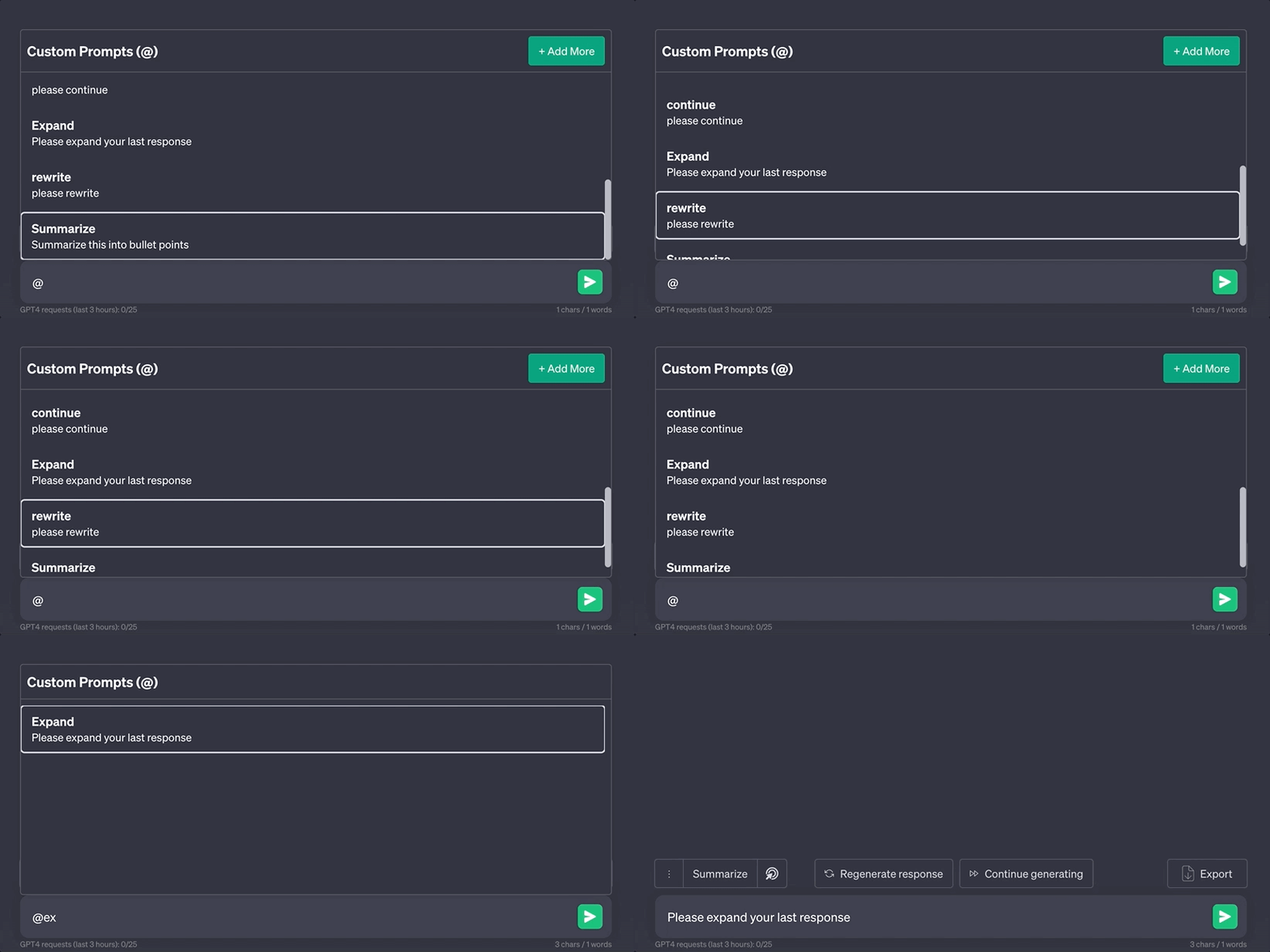
You can now simply type @ or # to open a menu of all your custom prompts or prompt chains right above the input box. You can use the keyboard up and down arrow button to navigate the menu and press enter to select the prompt. You can also type the name of the prompt to filter the list.
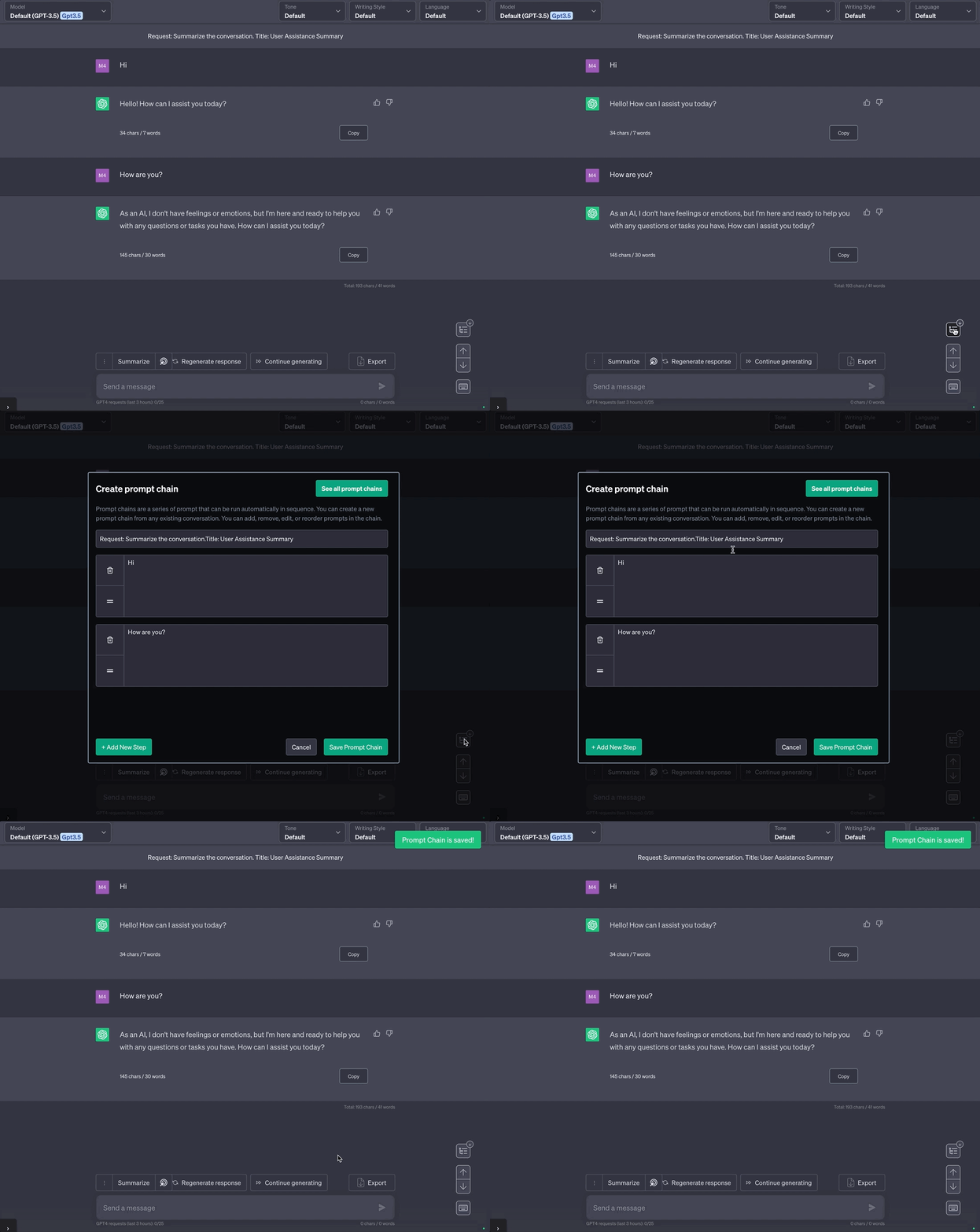
Prompt chains are a series of prompts that can be run automatically in sequence. You can create a new prompt chain from any existing conversation. You can add, remove, edit, or reorder prompts in the chain.
Once you create a prompt chain, you can access and run them using the AutoComplete Menu by typing #. You can also see the list of all your prompt chains in the prompt chain list menu. (CMD/CTRL + SHIFT + X)
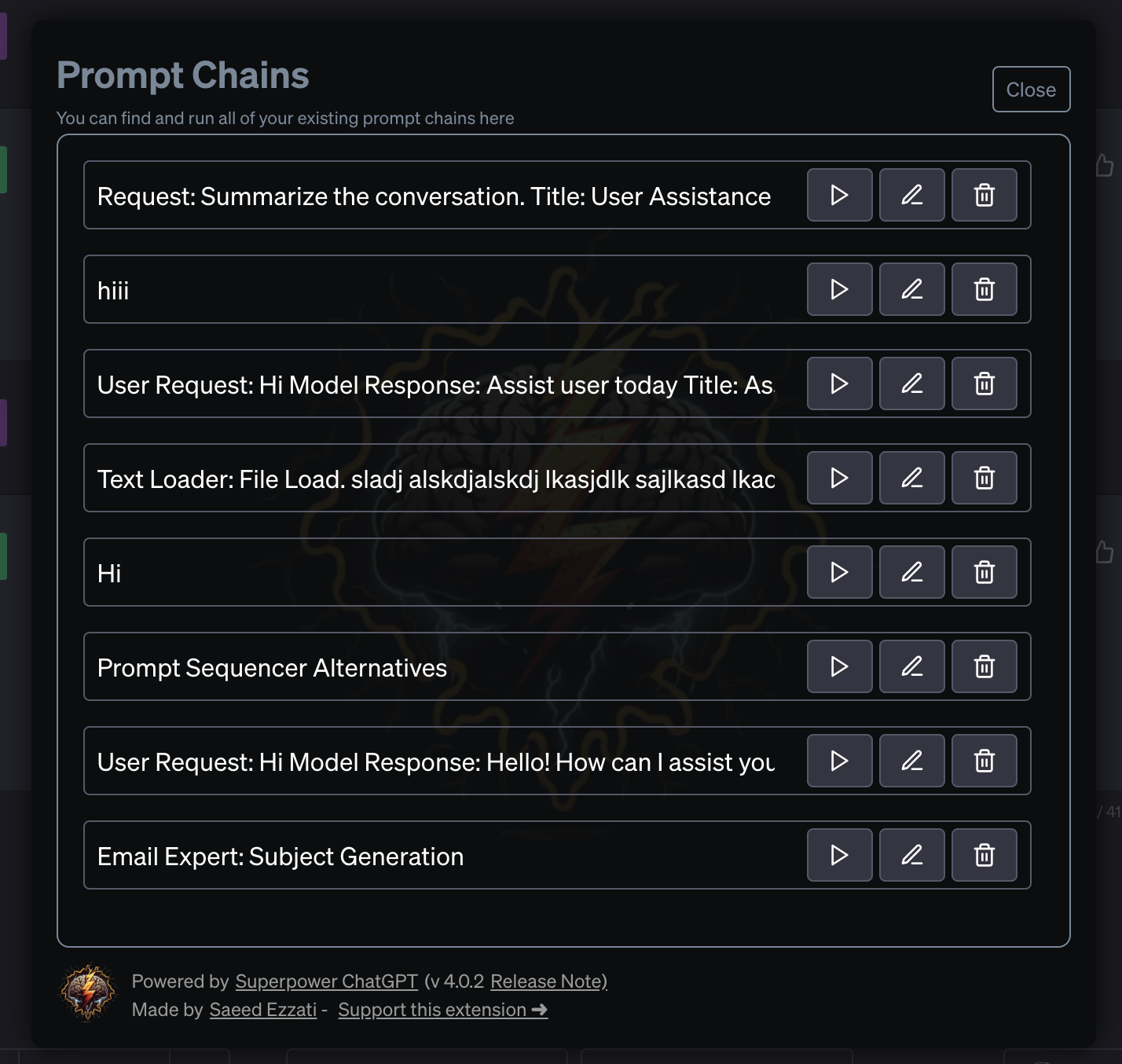
When you run a prompt chain, it will automatically submit each prompt in the chain one after the other until all prompts are submitted.

Quick Sync is an experimental feature to help improve performance. Once turned on, auto-sync will only sync the last 100 chats in your history. By doing this, you should be able to use the special features that require auto-sync faster. You can also always access your older chats (beyond the last 100) by turning off the auto-sync or quick-sync option. Quick sync does not delete any of your chats, it just doesn’t sync anything beyond the last 100 chats locally to your computer.
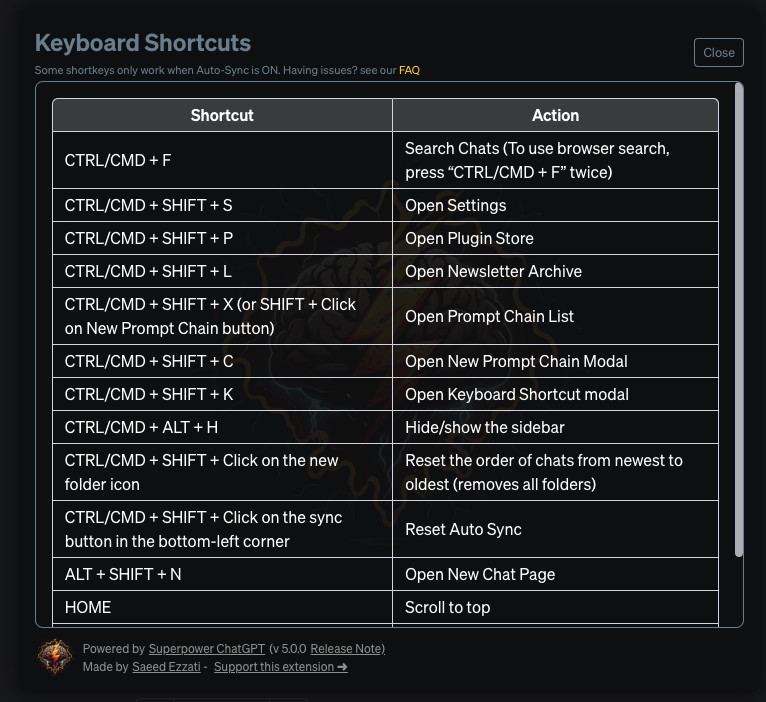
Click on the button on the bottom right side of the page to open the new short key menu. We have also added more short keys to our list including one to hide/show the side bar: CMD/CTRL + ALT + H
Hope you enjoy this new version. As always, I'll be very happy to hear your feedback and suggestions. You can always email me with you suggestions or DM me on Twitter @eeeziii
P.S Have questions about new features? Have a feature request? Want to report a bug? Make sure to check out our recently updated FAQ page, and join our Discord server for latest updates!
P.S.S I'm now accepting sponsors for this extension. To learn more about how you can sponsor this extension, visit here.
If you enjoy using this extension, please consider leaving it a review on Chrome Web Store or Mozilla Add-Ons Page.
 Add to Firefox