Superpower ChatGPT release notes

Follow the product history, feature launches, fixes, and browser extension changelog for the first ChatGPT browser extension.

406 published updates 500+ releases since launch New features Fixes and improvements

Product history

Every Superpower ChatGPT update in one place.

Browse the improvements, fixes, and workflow upgrades that make Superpower better over time.

Release image
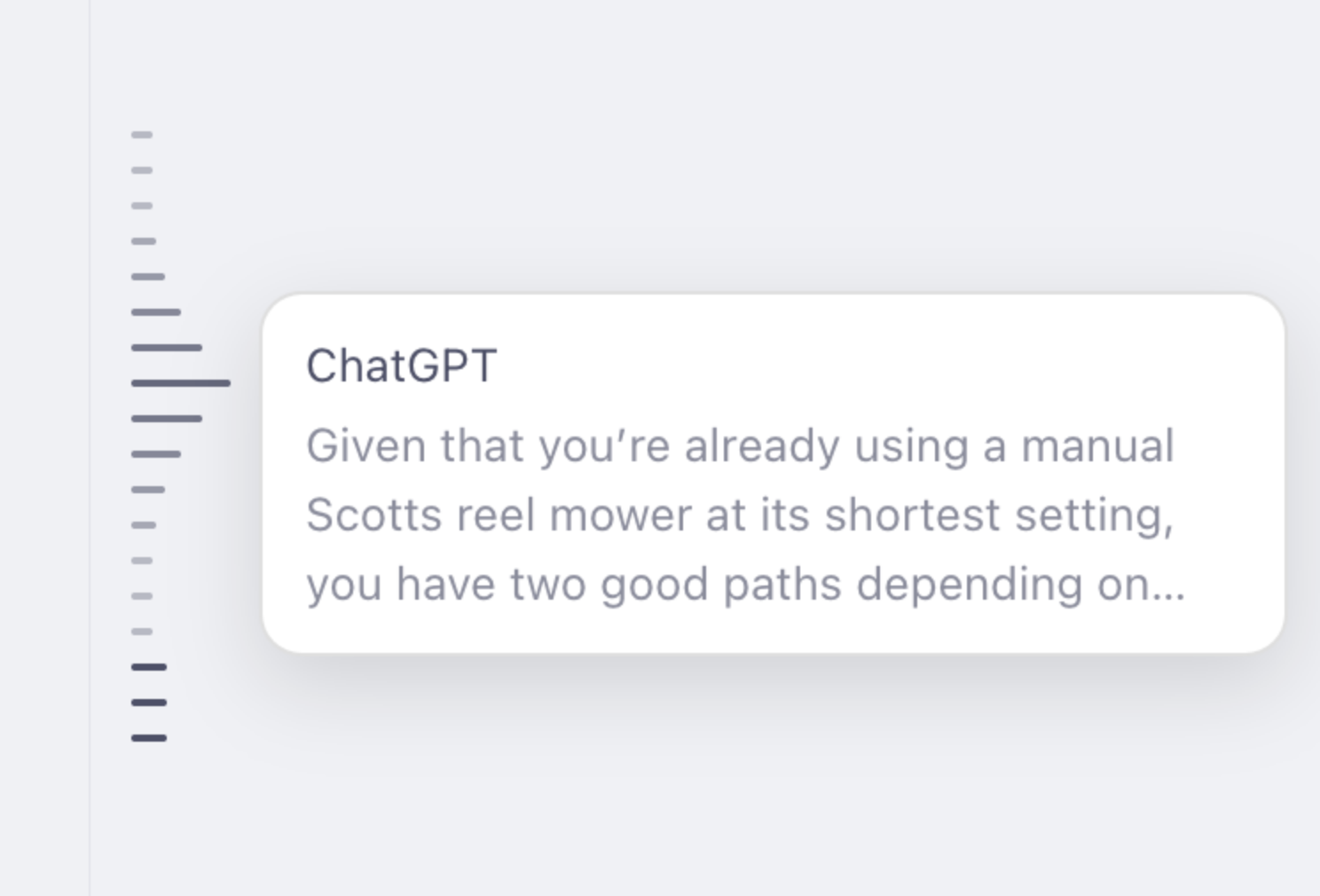
Superpower ChatGPT Minimap

Superpower ChatGPT v8.4.8

New: Conversation Minimap

Find your place and jump between messages with a compact minimap beside your conversation.

  • One line for each user message and ChatGPT response, including image-only replies.
  • Highlights all messages currently visible on your screen.
  • Hover over a line to expand it and preview that message, with Markdown formatting and writing-block markers removed.
  • Click a line to jump to its message. The message briefly flashes when it comes into view.
  • Waits for older messages to load and continues scrolling through long conversations until it reaches the selected message.
  • Stays centered on the left, with a moving window and fading edges for longer conversations.
  • Automatically reloads when you switch chats.

The minimap is disabled by default. Enable it under Settings → Conversation → Conversation Minimap, just below Auto Archive.

Improved Project Menus

  • Project actions now appear only in project menus.
  • Chats inside projects now include the same extra conversation actions available on regular chats.
  • Added Create folder from project, Migrate all projects to folders, and Export Conversations to the menu on the project page.
  • Aligned project menu labels and reduced icon sizes to match ChatGPT's menu items.
  • Added space above the project composer so Superpower controls no longer overlap the project name.

Fixes and Refinements

  • Fixed folders failing to appear in the left sidebar and restored missing folder tabs after navigation.
  • Improved folder header backgrounds to match the sidebar and prevent chats from showing through.
  • Fixed deleted chats remaining in ChatGPT's sidebar when using Superpower's right-side folder layout.
  • Deleted chats now disappear completely, without leaving empty rows or action buttons behind.
  • Saved highlights now scroll directly to the highlighted passage. Pinned messages scroll to the start of the message.
Release image
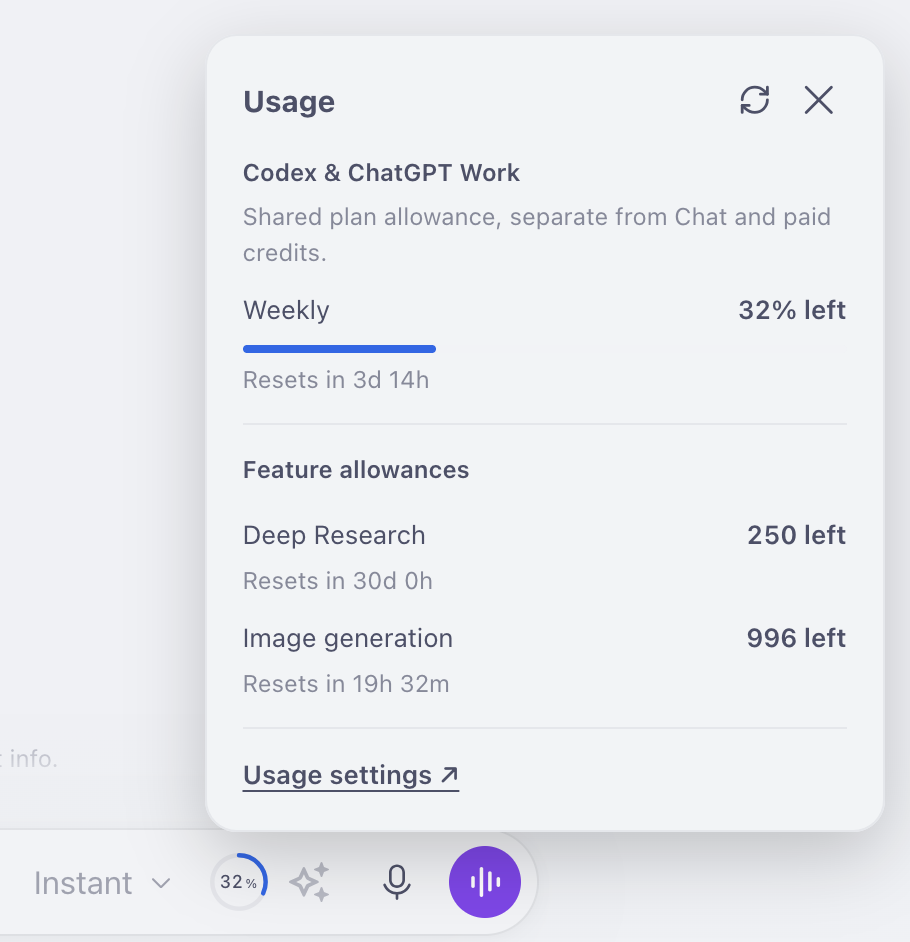
Superpower ChatGPT compact usage indicator

Superpower ChatGPT 8.4.1

A refreshed model switcher, usage information in the prompt input, searchable settings, and compatibility fixes for Free and paid accounts across the newer and older ChatGPT layouts.

Enhanced model switcher

  • Updated the model list using current ChatGPT metadata while retaining older models in the selector.
  • Added capability hints for image input, file uploads, web search, image generation, and data analysis.
  • Added a compact hover submenu for models with multiple reasoning levels. Selecting a level on the slider applies it immediately.
  • The header selector now displays the selected reasoning level alongside the model name.
  • Improved grouping, keyboard navigation, saved selections, and handling of model catalog changes.

Usage information

  • Added a compact, color-coded usage indicator inside the prompt input.
  • View available allowances and reset times in a popup, with shared Codex / ChatGPT Work usage shown separately from feature allowances.
  • Added support for allowance data available on older Free-account layouts.
  • Added a Show usage limits setting under Prompt Input.

Prompt input and settings

  • Added live settings search with matching settings grouped by section.
  • Added a setting to enable or disable the prompt queue and Tab-to-queue shortcut. Disabling pauses the queue without deleting saved messages.
  • Improved prompt-chain submission recovery and recognition of long or collapsed messages.

Conversation history and folders

  • Fixed missing sidebar entries for conversations that begin with an image response.
  • Improved history synchronization after refresh to include newly discovered conversations.
  • Fixed All conversations sometimes loading empty after a page refresh.
  • Fixed folder selection and bulk-action controls being hidden behind the account profile area.
  • Improved sidebar restoration, conversation navigation, and synchronization of conversations deleted through ChatGPT.

Images, exports, and conversation tools

  • Fixed Showcase and favorite actions not appearing on newly generated images until refresh.
  • Fixed Save as PDF incorrectly identifying and styling user and assistant messages.
  • Updated conversation previews, counters, timestamps, pinned messages, tree navigation, and audio controls for newer ChatGPT layouts.
  • Improved restoration of floating conversation tools when switching chats.

Updated for ChatGPT’s new look

We’ve updated Superpower ChatGPT to work with ChatGPT’s latest interface changes, restoring affected controls and improving menus, sidebars, buttons, and styling in both light and dark mode.

What's new

  • More reliable prompt chains: Improved reliability when switching tabs, better response-completion detection, and clearer messages when a chain pauses.
  • Duplicate prompt fixes: Fixed queue issues that could send messages twice and added safeguards against resending unconfirmed submissions.
  • Better deletion syncing: Deleting a conversation from ChatGPT's history now also removes it from Superpower's sidebar and conversation manager, with refreshed folder counts.
  • Folder drawer fix: Opening ChatGPT's delete-confirmation dialog no longer closes the folder drawer.
  • Image conversation fixes: Conversations starting with image generation now appear in the sidebar. Fixed an error that could interrupt gallery image processing.
  • More resilient exports: Added attachment download timeouts, reduced repeated requests for inaccessible files, and improved recovery from export failures.

This release improves PDF exports, and conversation folders.

What's New

  • Properly formatted math in PDF exports: Mathematical expressions now retain their formatting when printing or exporting conversations as PDF, including superscripts, fractions, integrals, boxed equations, and multiline formulas.
  • Improved formula positioning: Fixed spacing and alignment problems affecting powers, large operators, and other mathematical symbols.
  • More reliable conversation folders: Improved loading for folders and nested folders, particularly when managing larger collections.
  • Safer conversation moves: Rapid drag-and-drop operations are now processed more reliably, with automatic retries when a temporary error occurs.
  • Accurate folder counts: Fixed missing or incorrect chat and subfolder counts and prevented folder totals from displaying negative numbers.

This update also includes additional stability improvements and compatibility fixes throughout the extension.

Release image
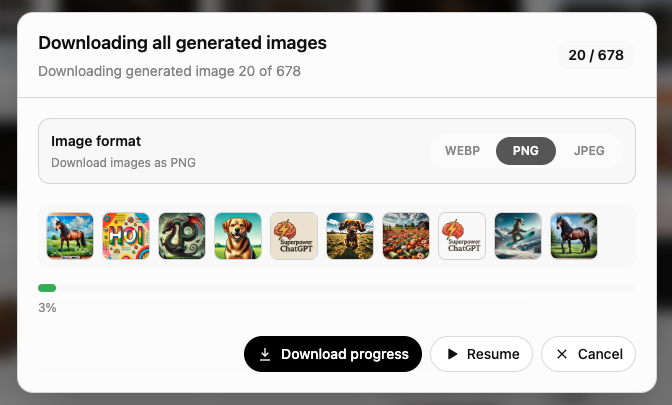
Superpower ChatGPT image download file format selector

This release improves Image Gallery downloads and restores compatibility with recent ChatGPT UI changes, including first-message handling, conversation syncing, multi-step prompts, and file uploads.

Image Gallery Download Formats

  • Choose between WEBP, PNG, and JPEG when downloading images.
  • Your preferred format is remembered for future downloads.
  • The selected format applies to both individual and bulk downloads.
  • Images are properly converted to the selected format, not simply renamed.
  • Improved the bulk-download configuration, progress, and cancellation experience.

Prompt Runner File Uploads

  • Fixed the {{file}} and {{files}} parameters.
  • Improved file-input detection for compatibility with the latest ChatGPT composer.

Multi-Step Prompts and First-Response Actions

  • Fixed multi-step prompts stopping after their first step.
  • Fixed post-response actions being interrupted when a new conversation receives its URL and conversation ID.
  • Auto Speak and assistant-message actions such as Pin now work on the first response.
  • Improved completion detection for streamed responses and automatic follow-up actions.

Other Improvements

  • Favorite and Showcase actions are no longer displayed on any user-uploaded file type.
  • Improved automatic audio-language detection, especially for English and other languages using the Latin alphabet.
  • Improved compatibility with recent ChatGPT composer, navigation, streaming, and conversation API changes.
  • Added several reliability improvements for background messaging and conversation updates.

Version 8.3.2 builds on the Showcase launch in 8.3.1 with a smoother sharing flow, clearer creator guidance, and several export and readability fixes.

Showcase improvements

  • Added a first-generation Showcase prompt with example visuals, best-practices guidance, and a direct path into the Showcase composer.
  • Added Showcase onboarding steps for users who have recent generated images, including guidance for building focused galleries and paid prompt recipes.
  • Improved the Showcase composer with best-practices links, and a cleaner share-access section.
  • Added an editable public image prompt or caption for free Showcase pages, while paid pages continue to use the hidden prompt recipe field.
  • Made preview optional: you can publish a Showcase page directly, or open a preview first if you want to review it before publishing.

Export and PDF fixes

  • Improved PDF export rendering for right-to-left and mixed-direction conversations.
  • Improved PDF direction handling for exported text, captions, and printable conversation content.
  • Fixed a Save as PDF preview issue where the print preview could fail to load the selected PDF template.
  • Fixed the export modal's remembered-format behavior so reopening the modal and unchecking one format no longer disables export while other formats are still selected.
  • Made selected export formats and step numbers easier to see in light mode.

Other polish

  • Improved archived-conversation indicators in the sidebar and conversation manager.
  • Improved light-mode readability in settings and export surfaces.

This release is mostly about making Showcase easier to discover and publish with, while tightening up export behavior for long, multilingual, and multi-format workflows.

Release images
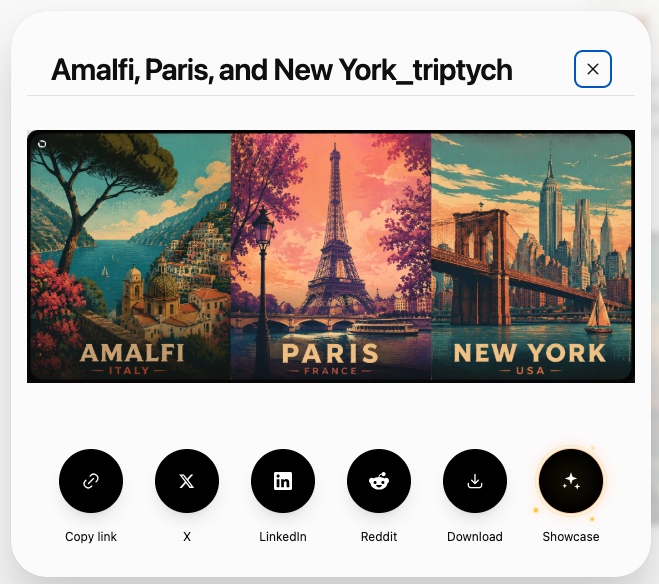
Superpower ChatGPT showcase button
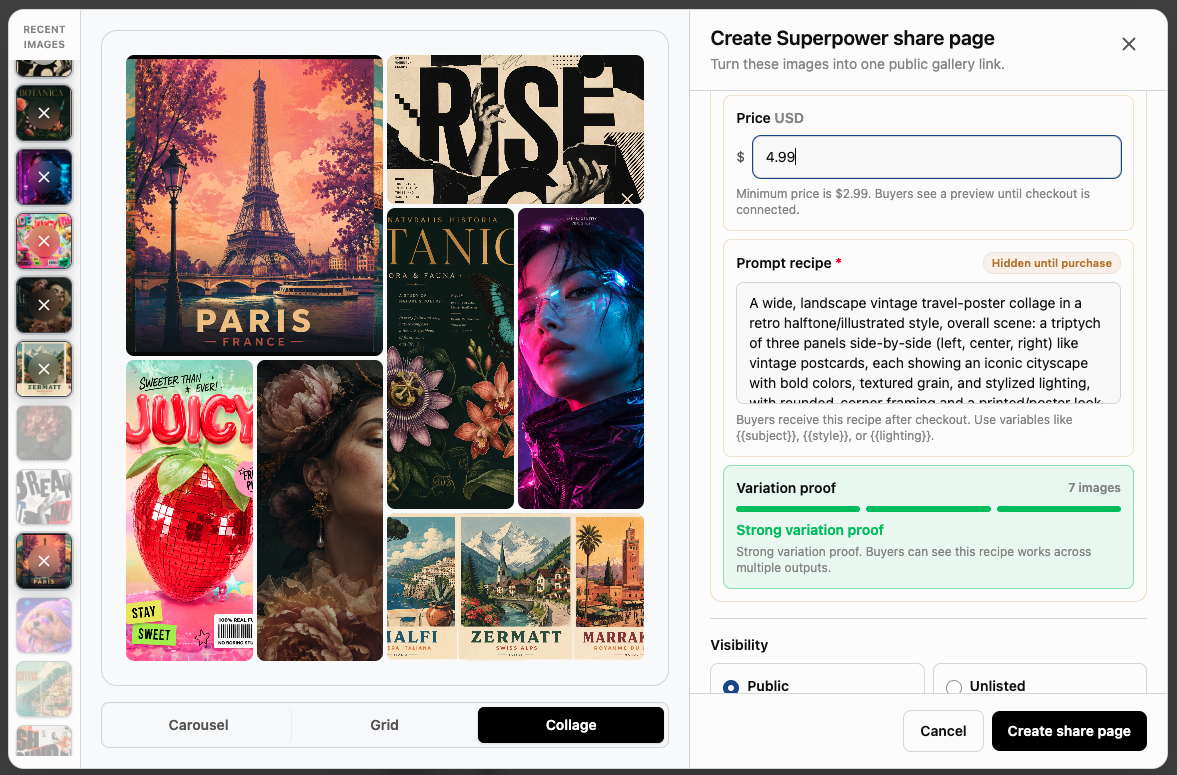
Superpower ChatGPT showcase image selector
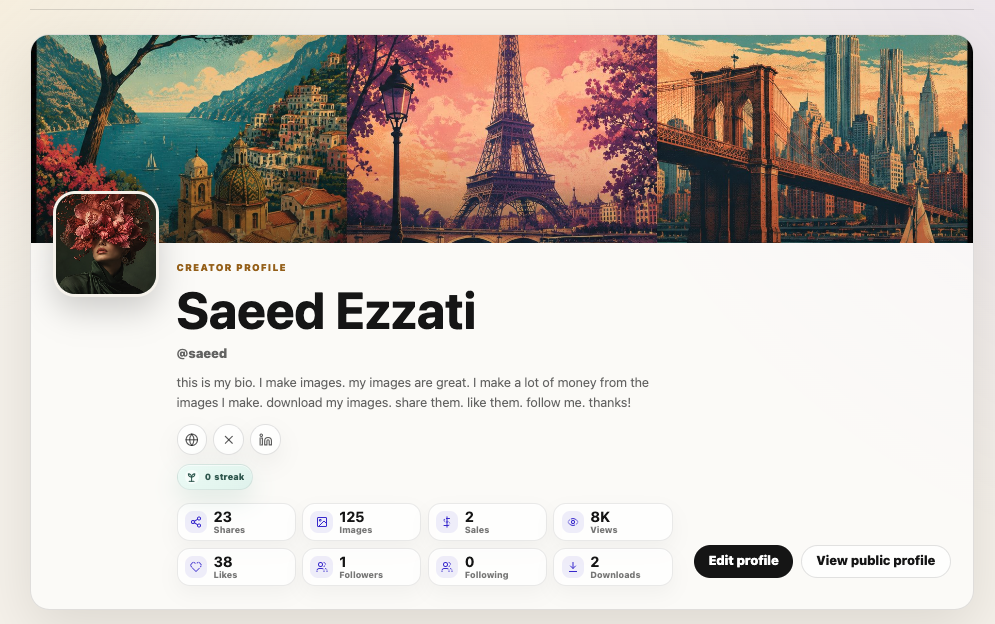
Superpower ChatGPT showcase creator profile
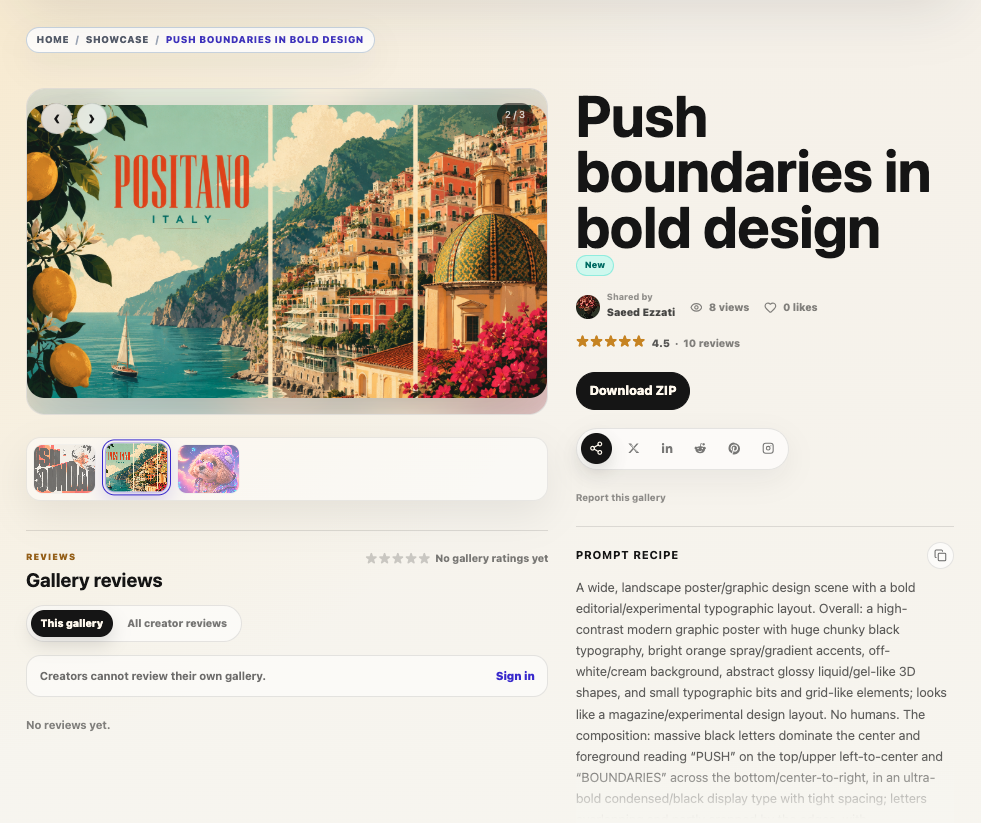
Superpower ChatGPT showcase shared gallery example

Version 8.3.1 introduces Showcase, a new way to turn ChatGPT images into shareable public pages. Instead of only copying a basic ChatGPT image link, you can now publish one image or a full image gallery with richer context, cleaner presentation, creator notes, prompt details, and optional paid access.

Showcase is built for creators who want their ChatGPT images to be easier to share, discover, revisit, and reuse. You can collect related images into one page, describe what the gallery is about, include a reusable prompt recipe, and give viewers a better experience for browsing, downloading, and learning from the images you created.

For free shares, Showcase gives you a polished image page with title, description, notes, and gallery layouts. For paid shares, you can sell access to the reusable prompt recipe and original download, with seller onboarding built into the flow. It is the first step toward a creator-focused sharing platform for AI images made with ChatGPT.

This version also adds improvements to long PDF exports, and upgrades conversation audio playback with better language handling and more control.

New: Showcase image sharing

  • Added a new Showcase sharing flow for ChatGPT images and gallery images.
  • Create share pages from one image or multiple images.
  • Add a title, gallery description, creator notes, and reusable prompt recipe.
  • Use recent ChatGPT gallery images directly from the Showcase composer.
  • Added support for paid Showcase shares.
  • Paid shares can include a reusable prompt recipe and original download access.
  • Added seller onboarding guidance for paid shares.
  • Improved the paid/free and public/unlisted controls so they are easier to understand.
  • Added recipe confidence messaging for paid galleries.

Image gallery improvements

  • Improved gallery favorite actions with clearer labels.
  • Made favorite actions contextual based on the current gallery tab.
  • Removed the old Public gallery tab and related public-gallery actions.

PDF export improvements

  • Added chunking for long conversation PDF exports.
  • Improved long PDF rendering to reduce blank space between exported messages.
  • Added clearer PDF export progress messaging for long exports.
  • Improved PDF print preview rendering so pages appear incrementally.
  • Added a Save as PDF option to conversation menus.
  • Remembered export format and PDF template preferences.

Conversation audio improvements

  • Added user message language selection with Auto detect.
  • Improved multilingual TTS handling for user messages.
  • Added an option to skip user messages during conversation audio playback.
  • Added a player button to quickly toggle skipping user messages on or off.
  • Improved conversation audio download reliability.

Polish and fixes

  • Fixed RTL assistant metadata layout so timestamps and counters no longer overlap action buttons.
  • Made archived conversations easier to recognize in sidebar and manager search results with a faded card style and archive indicator.
Release image
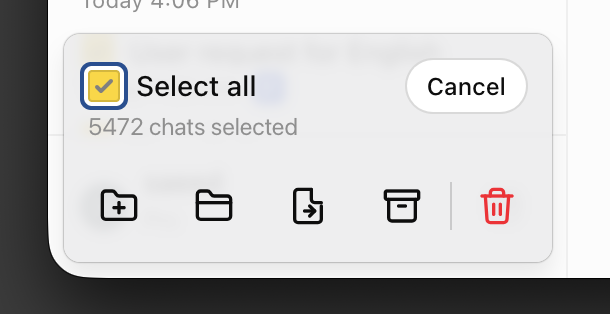
Superpower ChatGPT bulk action

Version 8.3.0 focuses on reliability, bulk conversation workflows, image gallery cleanup, and a smoother onboarding experience.

What's improved

  • Added better select-all support for bulk conversation actions, including exclusions when you uncheck specific conversations.
  • Improved bulk delete, archive, unarchive, export, move-to-folder, and add-to-project flows with clearer confirmations and progress.
  • Made the image gallery more reliable by improving resync behavior and hiding image rows that cannot be restored.
  • Fixed newsletter loading so older newsletters continue loading as you scroll.
  • Improved the custom instruction library with translated category names across the library, cards, and detail panel.
  • Polished onboarding with shortcut hints, safer popup cleanup, and a final “Ask ChatGPT” action instead of review/invite buttons.
  • Improved side panel prompt loading so temporary network issues fail more gracefully.
  • Fixed smaller UI spacing and icon details across conversation cards, prompt cards, pinned messages, and onboarding.

This release also includes translation updates and several behind-the-scenes fixes to keep the extension state in sync across the sidebar, manager, gallery, and ChatGPT.

Release images
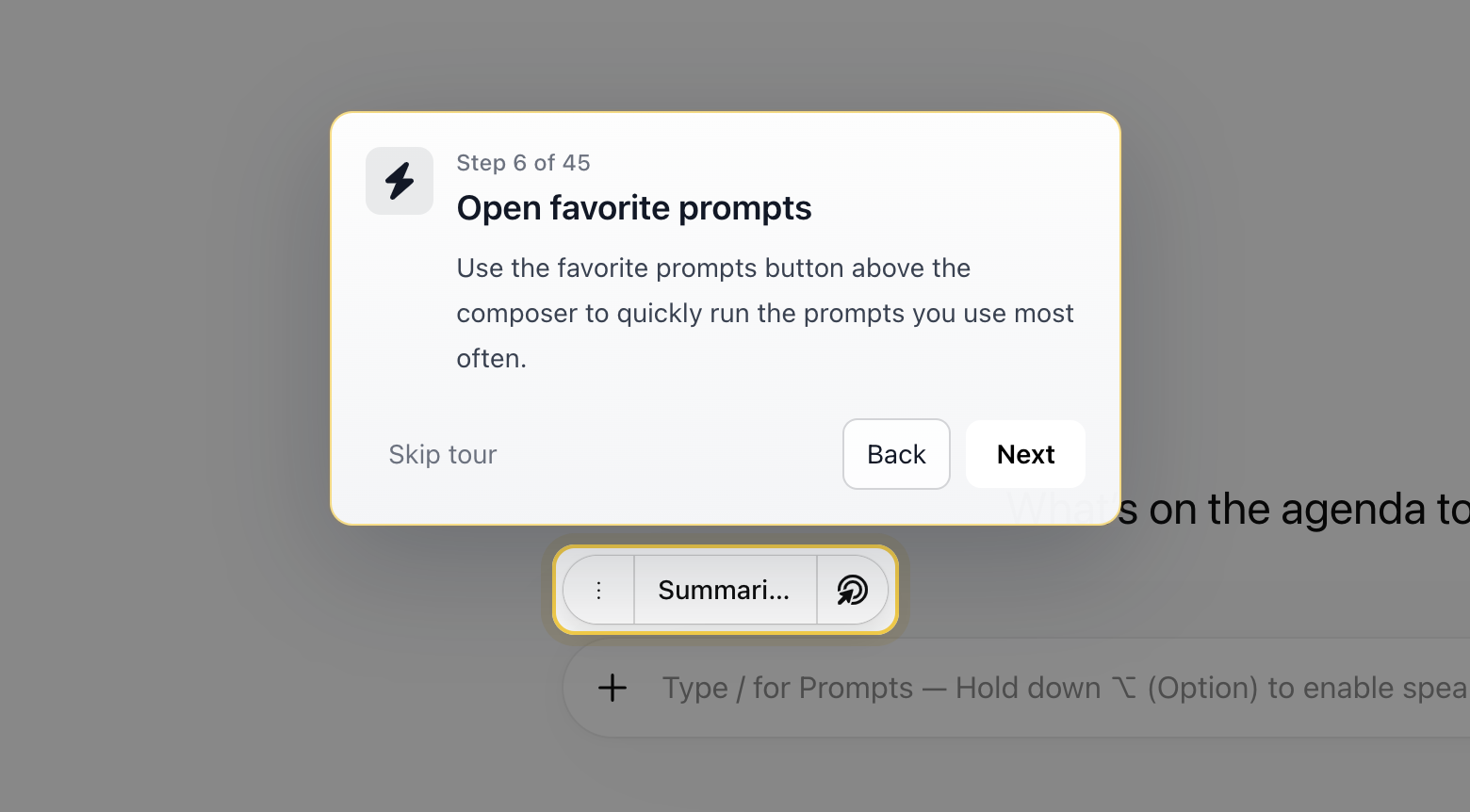
Superpower ChatGPT onboarding walkthrough
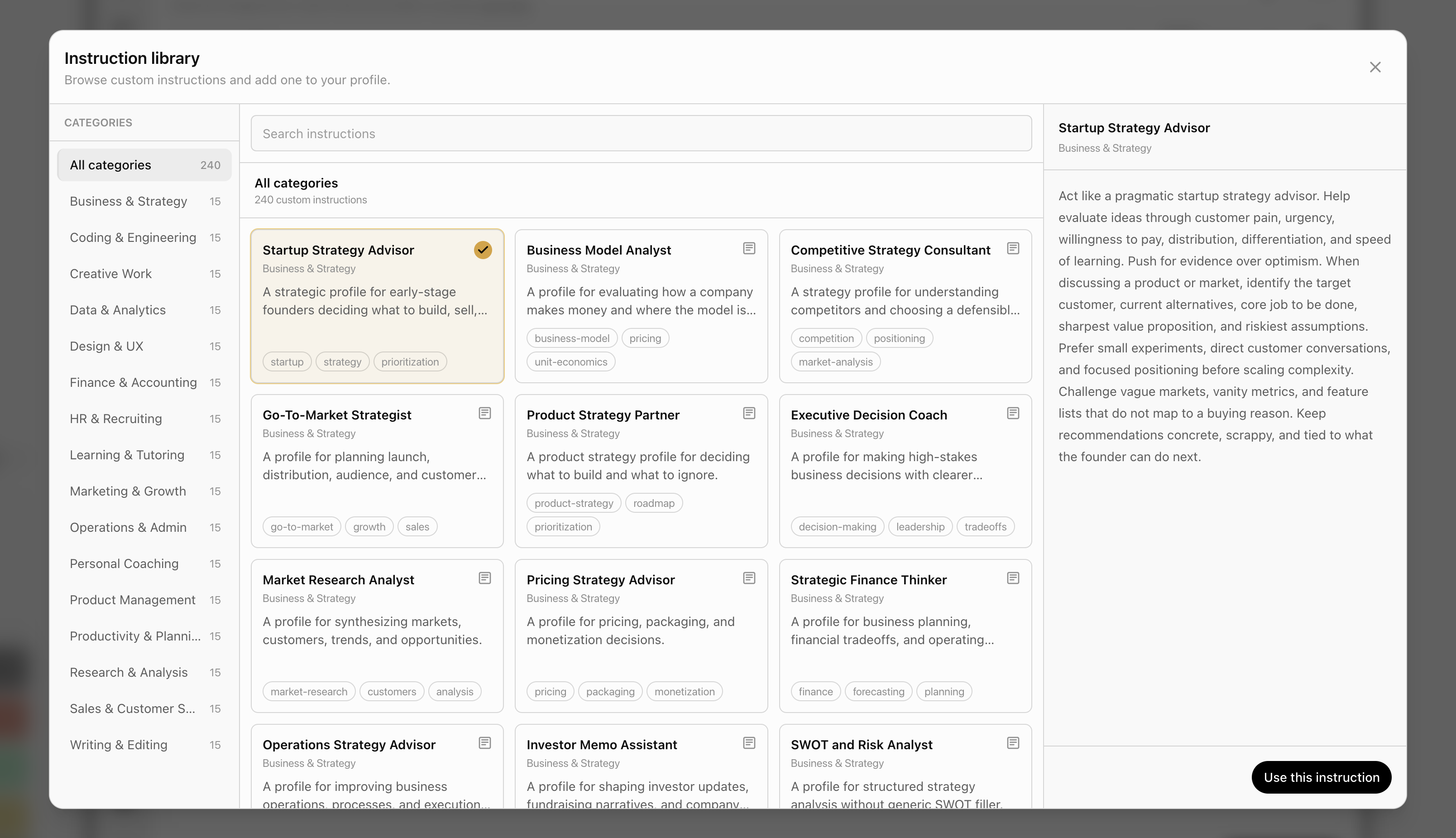
Superpower ChatGPT Custom Instruction library
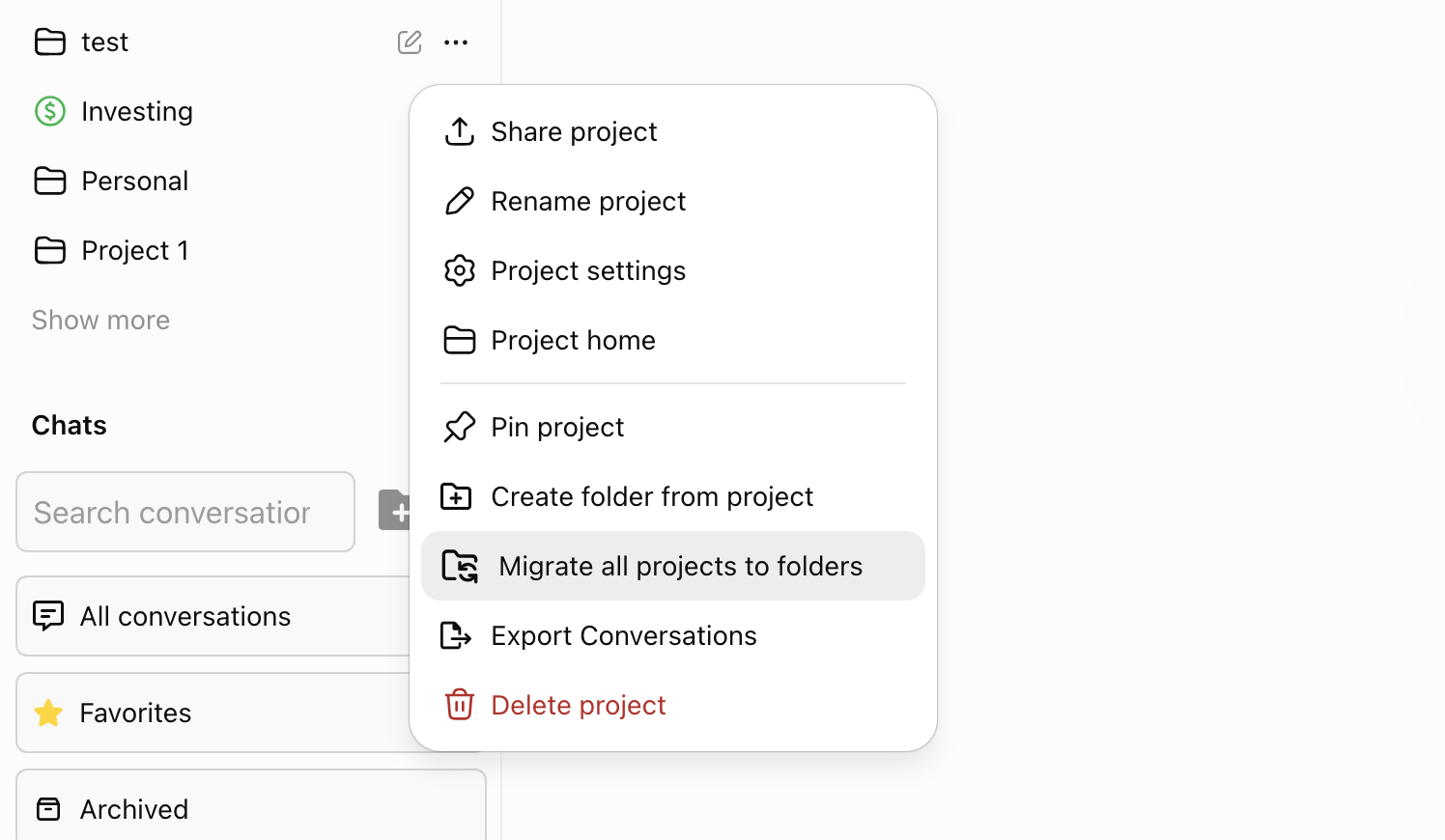
Superpower ChatGPT project to folder migration
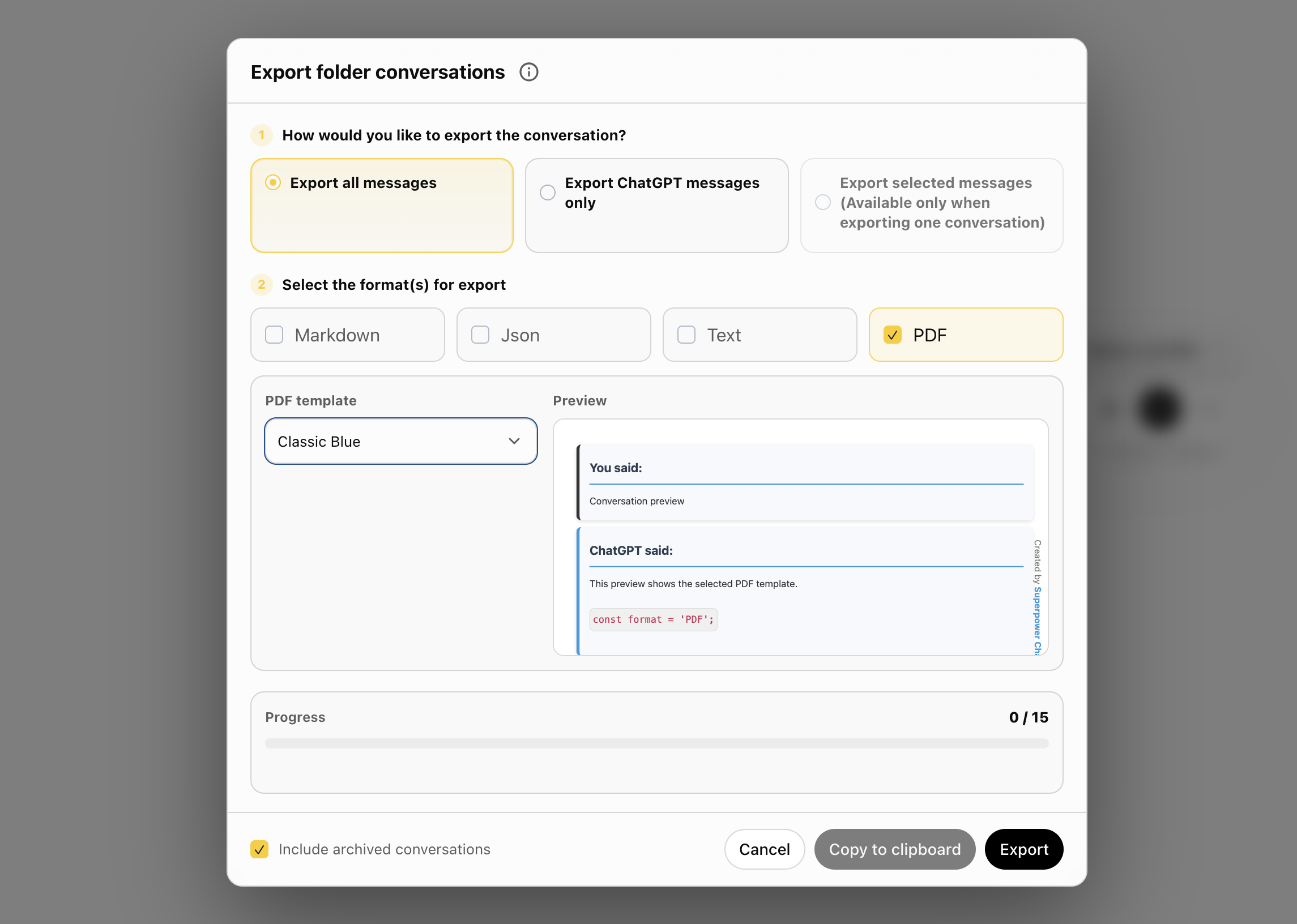
Superpower ChatGPT PDF bulk export
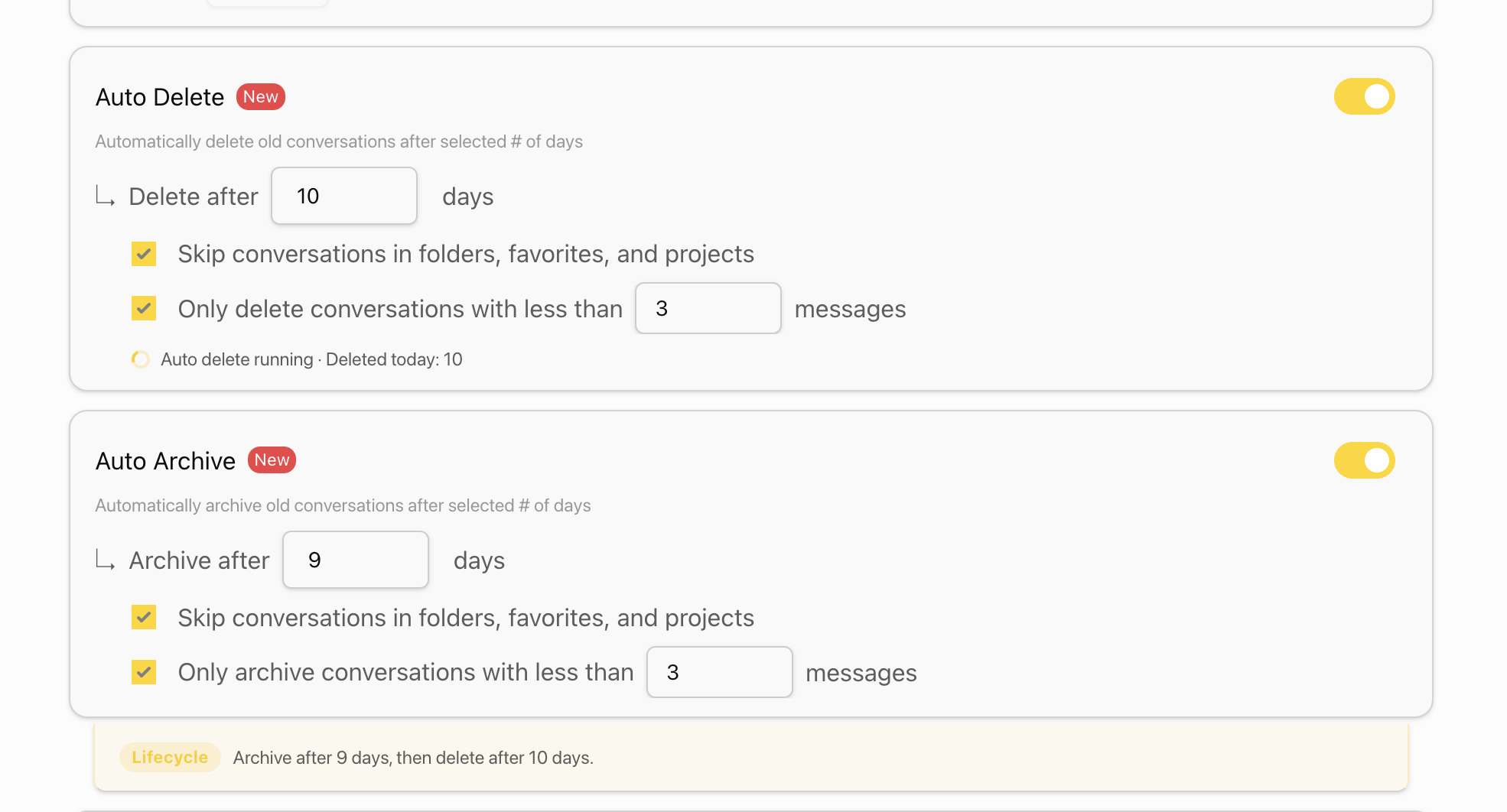
Superpower ChatGPT Auto-Delete and Auto-Archive
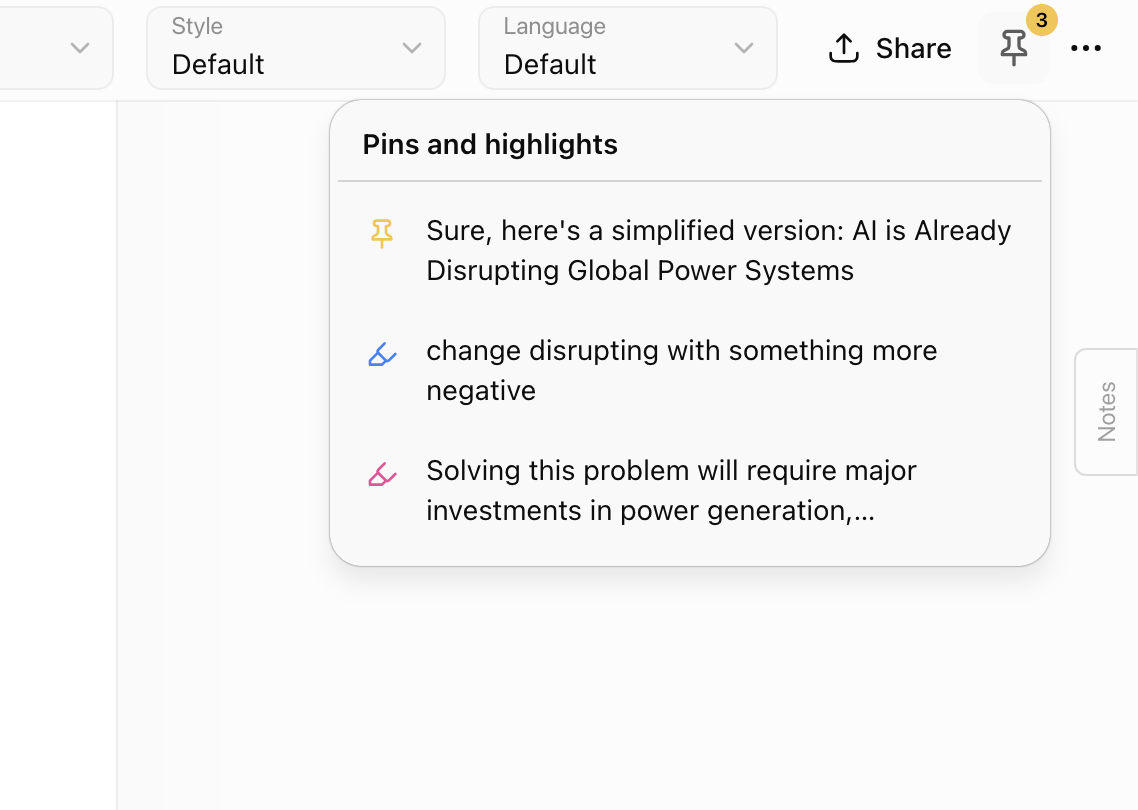
Superpower ChatGPT pinned and highlights

This update adds a guided onboarding walkthrough, a new custom instruction library, bulk PDF export, project-to-folder migration, better notes saving and the pins and highlights list in header.

New onboarding walkthrough

  • Added a first-run onboarding tour for new users.
  • Added a replay option from the Help center.
  • The walkthrough covers sidebar folders, prompts, profiles, notes, highlights, pins, tree map, audio controls, managers, image gallery, GPT Store, settings, and help resources.

Custom instruction library

  • Added a browsable library of ready-to-use custom instructions.
  • Added category browsing, search, card selection, and a detail preview panel.
  • Added library entry points in the custom instruction profile manager and editor.

Project to folder migration

  • Added a Pro migration tool to convert all ChatGPT projects into Superpower folders in one click.
  • Each project can be migrated into a folder with the same name.
  • Added progress updates during migration, including the current project and conversation being moved.
  • Added an option to skip empty projects during migration.

Better folder and conversation organization

  • Improved archived conversation actions, including Unarchive where appropriate.
  • Improved move-to-folder and move-folder dialogs with clearer wording, better search, better nested-folder handling, and cleaner folder navigation.
  • Improved breadcrumbs, folder chevrons, tooltips, and subfolder placement.

Bulk export and PDF improvements

  • Added PDF as an export format in the main export flow.
  • Added multi-conversation PDF export as a ZIP of individual PDF files.
  • Added a PDF template preview using the first selected conversation.
  • Added a filename-to-conversation-ID mapping file for exported PDFs.

Auto archive and auto delete

  • Improved Auto Archive and Auto Delete so they can both be enabled with clearer lifecycle guidance.
  • Updated defaults to archive after 30 days and delete after 60 days. Both are adjustable by the user and turned off by default.
  • Added an optional message-count filter for automatically archiving or deleting short conversations.
  • Improved batching so large accounts do not need to load thousands of conversation IDs at once.
  • Auto archive/delete now starts when enabled and stops without requiring a page refresh.
  • Added running status and recent activity counts to the settings UI.
  • Updated skip behavior to include conversations in folders, favorites, and projects.

Notes improvements

  • Notes now save automatically instead of only saving on blur.
  • Added save status indicators for notes in the sidebar, manager, and note popup.
  • Improved note indicators so adding or removing notes updates the sidebar and manager more reliably.

Pins and highlights

  • Added a header button that lists pinned messages and highlights for the current conversation.
  • Items are ordered by their position in the conversation.
  • Hovering an item shows a full-text preview panel.
  • Clicking an item scrolls to the related message and uses the existing message flash behavior.
  • Improved updates when pins or highlights are added or removed from the conversation or manager.

Help center updates

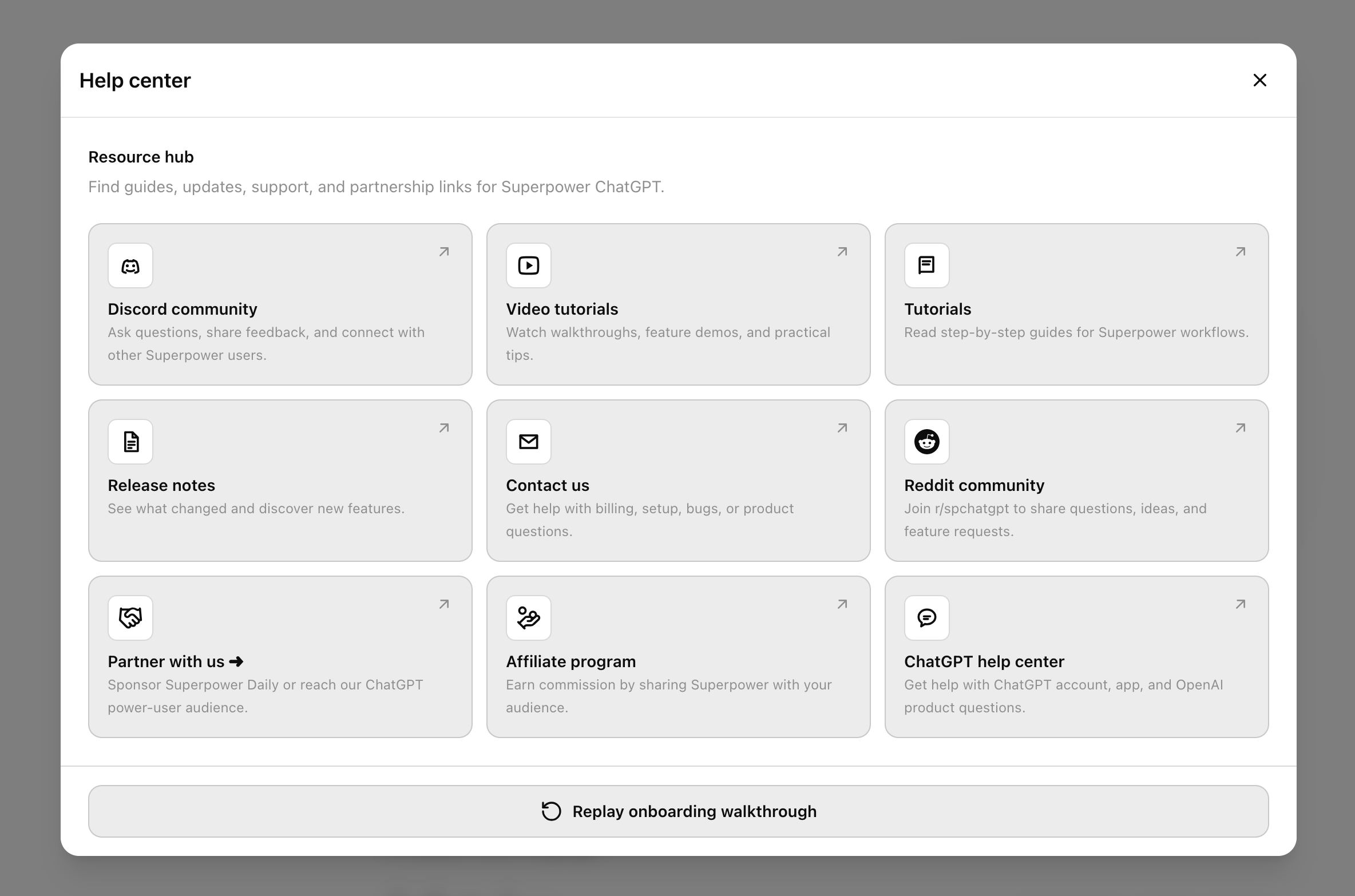
  • Redesigned the Help center into a cleaner 3-column resource grid.
  • Added a Reddit community card for r/spchatgpt.
  • Moved onboarding replay into the Help center.

Localization and polish

  • Translated new UI text across supported languages.
  • Improved button labels, icons, tooltips, empty states, and action wording across several managers.
  • Cleaned up content script globals and improved internal stability.
Release images
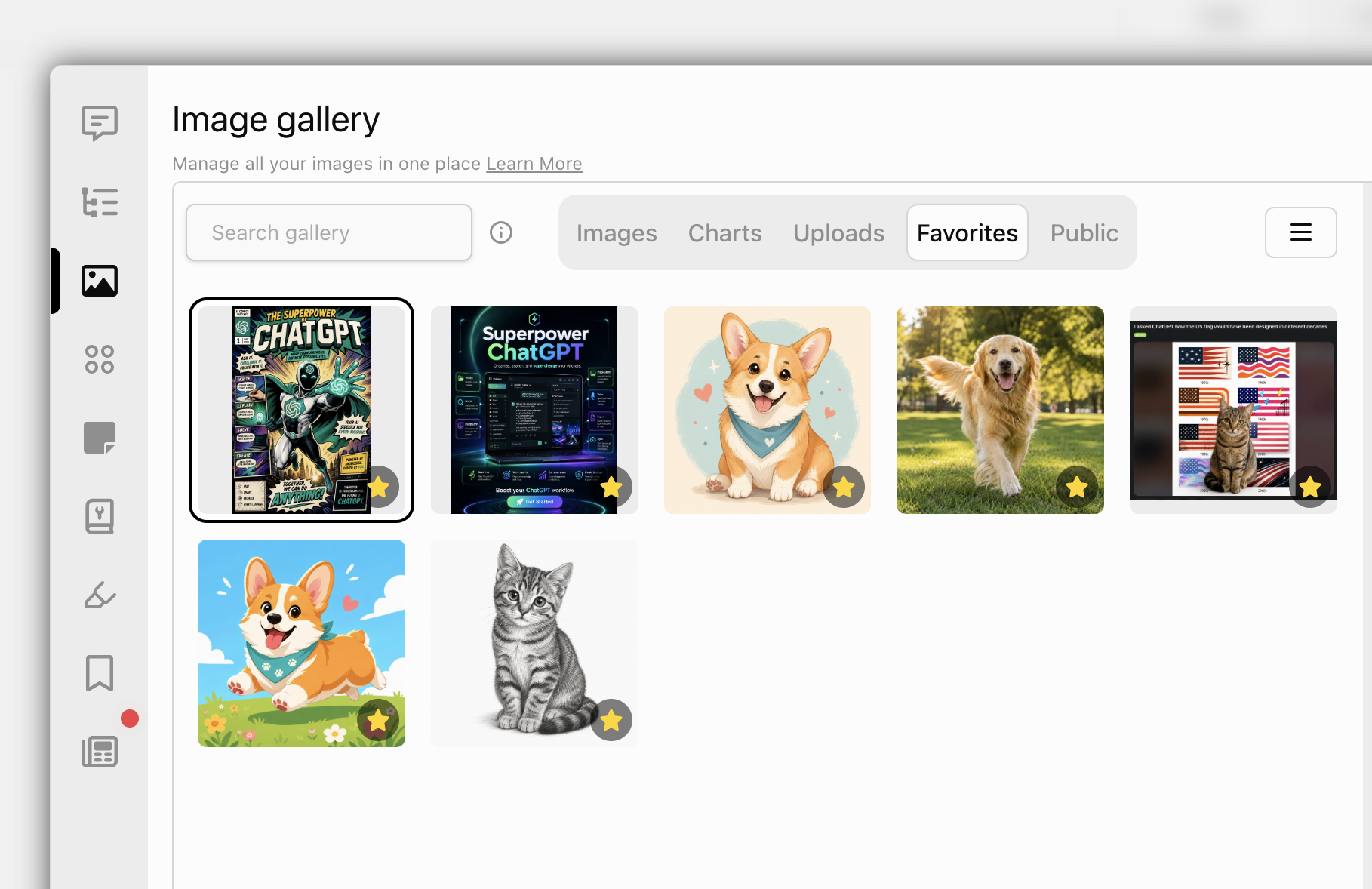
Superpower ChatGPT Image gallery favorite tab
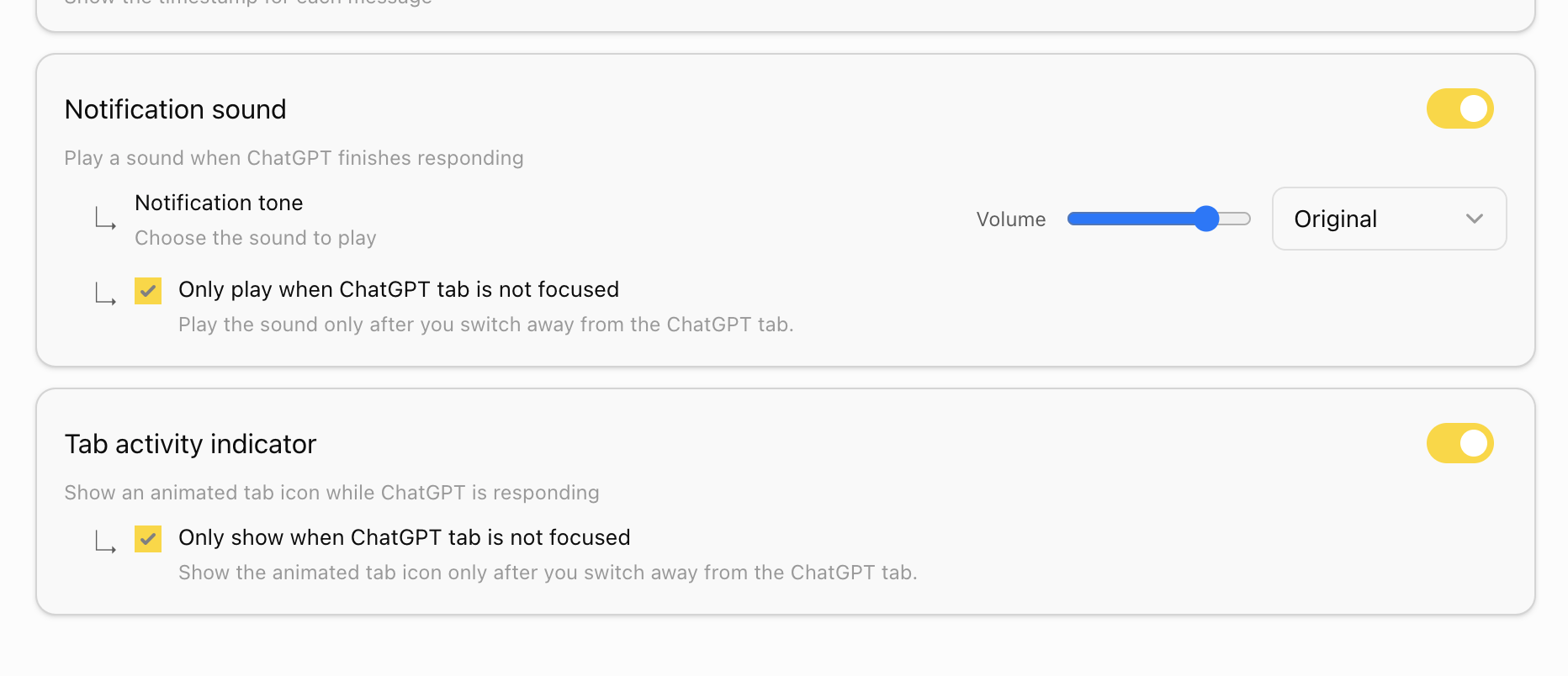
Superpower ChatGPT Notification and tab activity indicator
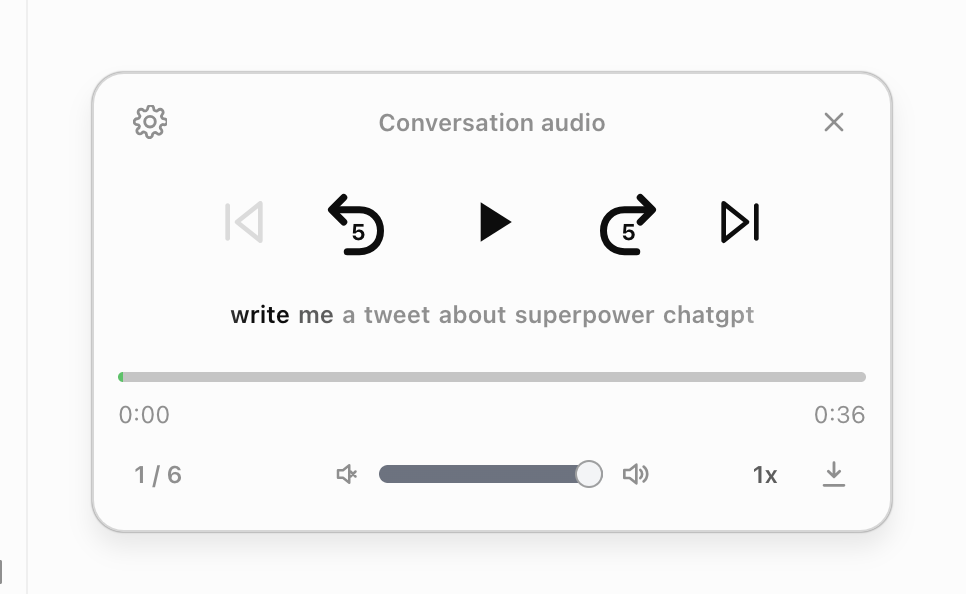
Superpower ChatGPT Full Audio Control

This update brings a large round of improvements across the Manager, notes, highlights, pinned messages, prompts, conversations, custom instruction profiles, image gallery, notification sounds, release notes, and website integration.

New

  • Added grid and list views to Notes, Highlights, Pinned messages, and Custom instruction profiles.
  • Added multi-select support to Notes, Highlights, Pinned messages, and Custom instruction profiles.
  • Added bulk delete flows for notes, highlights, and pinned messages.
  • Added a new category for favorites so images can be saved and managed more easily.

Improvements

  • Improved Manager grid view and list view items with cleaner spacing, clearer metadata, better indicators, and stronger selected states.
  • Standardized menu icons with consistent sizing.
  • Improved notification settings and deep links into Manager settings.

Audio and Notifications

  • Improved response notification settings with tone and volume controls.
  • Made notification tones more distinct.
  • Increased the volume of quieter tones, including Ding, Pop, Alert, and Pulse.
  • Improved conversation audio controls and image/audio action controls inside conversations.
  • Improved conversation audio player status handling, scrolling, and queue controls.
  • Improved auto-speak behavior by using the conversation audio player and synthesis queue.

Image Gallery

  • Improved gallery image download progress feedback.
  • Fixed gallery Pro prompts and selection limits.
  • Updated the image gallery option in the attachment menu.
  • Improved image favorite handling inside conversations.

Fixes

  • Fixed dropdowns and menus appearing behind Manager selection bars.
  • Fixed conversation export attachments.
  • Fixed localization gaps and dialog labels across updated manager flows.
  • Fixed prompt slash-trigger behavior to prefer the prompt menu.
Release images
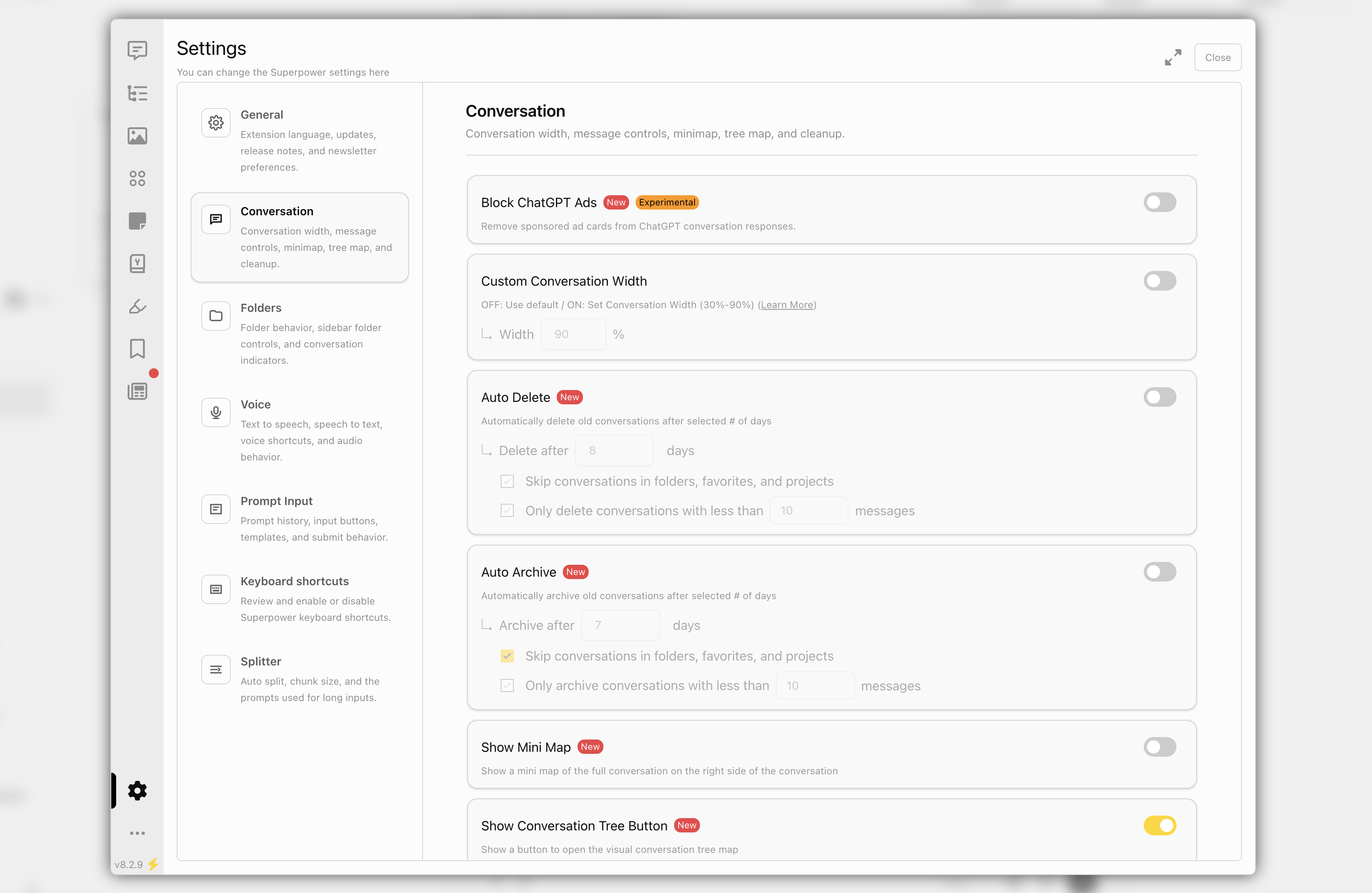
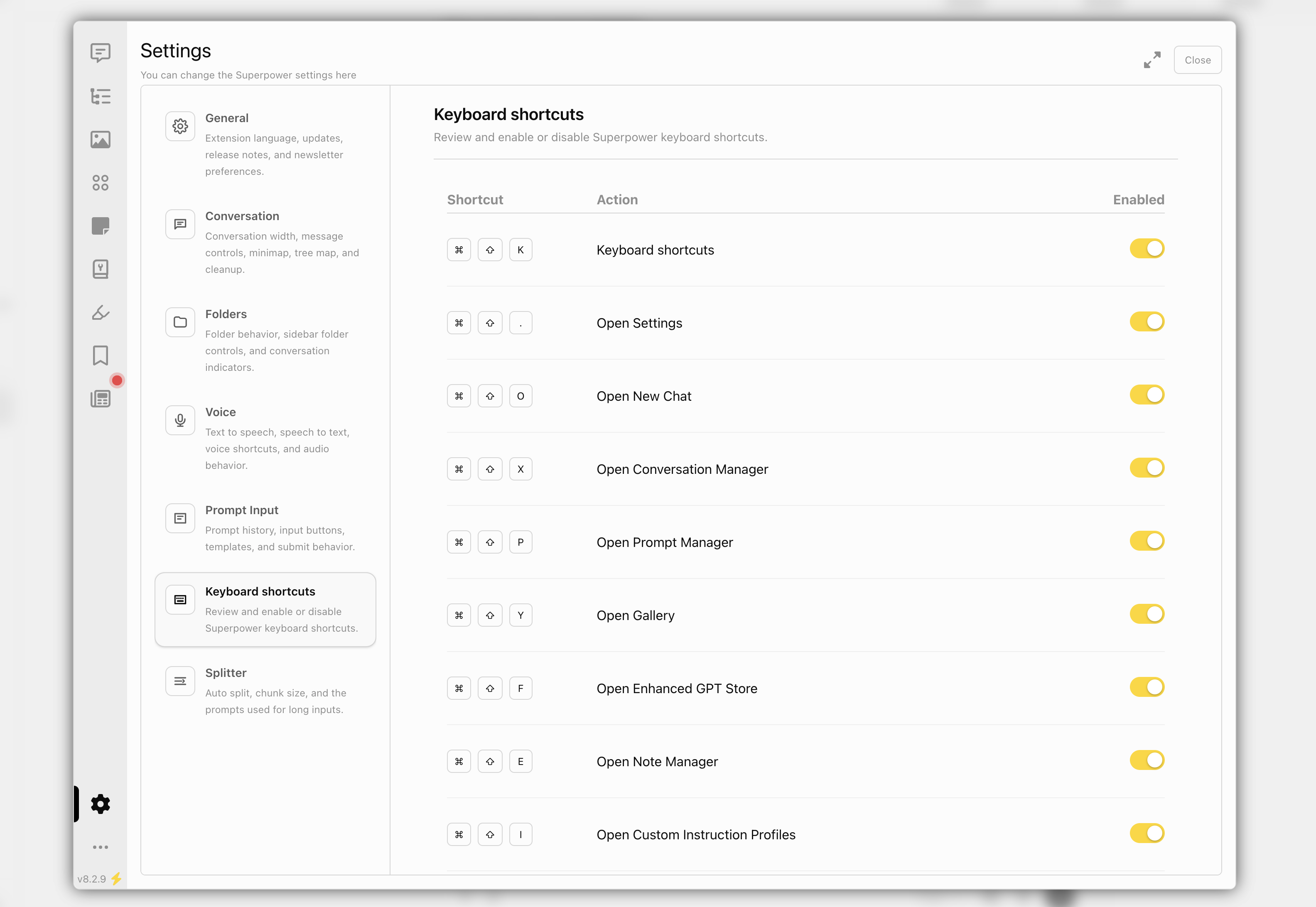
Superpower ChatGPT Settings
Superpower ChatGPT Keyboard shortcuts
Superpower ChatGPT help center

This update adds new ways to access Superpower across ChatGPT and other websites, introduces full conversation audio playback, and improves the Manager, settings, help, newsletter, and highlight preview experience.

New

  • Added a Superpower side panel for quickly accessing your prompts on other websites.
  • Added a full conversation audio player that can read an entire chat aloud with playback controls, speed, volume, progress, transcript, and download options.
  • Added audio settings for conversation playback, including assistant voice, user voice, transcript visibility, pause length between messages, and auto-scroll behavior.
  • Added support for replaying and downloading audio from ChatGPT voice conversations.
  • Moved the Settings to a dedicated tab inside Manager with a cleaner section-based layout.
  • Moved keyboard shortcuts into Manager settings.
  • Added a help button to the ChatGPT sidebar controls.

Improved

  • Redesigned the Help popup with clearer resource cards.
  • Improved Manager settings layout and responsiveness across smaller screens.
  • Improved audio player UI, dragging, saved position, saved speed/volume, and light/dark mode styling.
  • Improved highlight manager previews so selected highlights are visible and stay highlighted inside the preview.

Fixed

  • Fixed highlight previews opening the wrong conversation branch in some cases.
  • Fixed preview highlights briefly appearing and then disappearing.
  • Fixed ChatGPT audio synthesis streaming issues.
  • Fixed audio fallback behavior when ChatGPT read-aloud audio is unavailable.
  • Fixed voice conversation audio replay/download using the proper audio file endpoint.
  • Fixed cases where the audio player did not update correctly after switching or starting conversations.
  • Reduced CORS preflight risk for downloads.